
From a written test case to an automated test.
The working product on sample data. You give AutoTestX a test case written in plain language; you get an automated browser test you can review, run on every release and keep as evidence.
Recorded in our demo environment with real AI calls. Northwind Supply and Fixture ERP are practice applications we built; the people and data are samples, not a customer’s. The narration is a synthetic voice.
Four screens, one test.
What you put in at each step, and what you get back.
- 01 · Describe
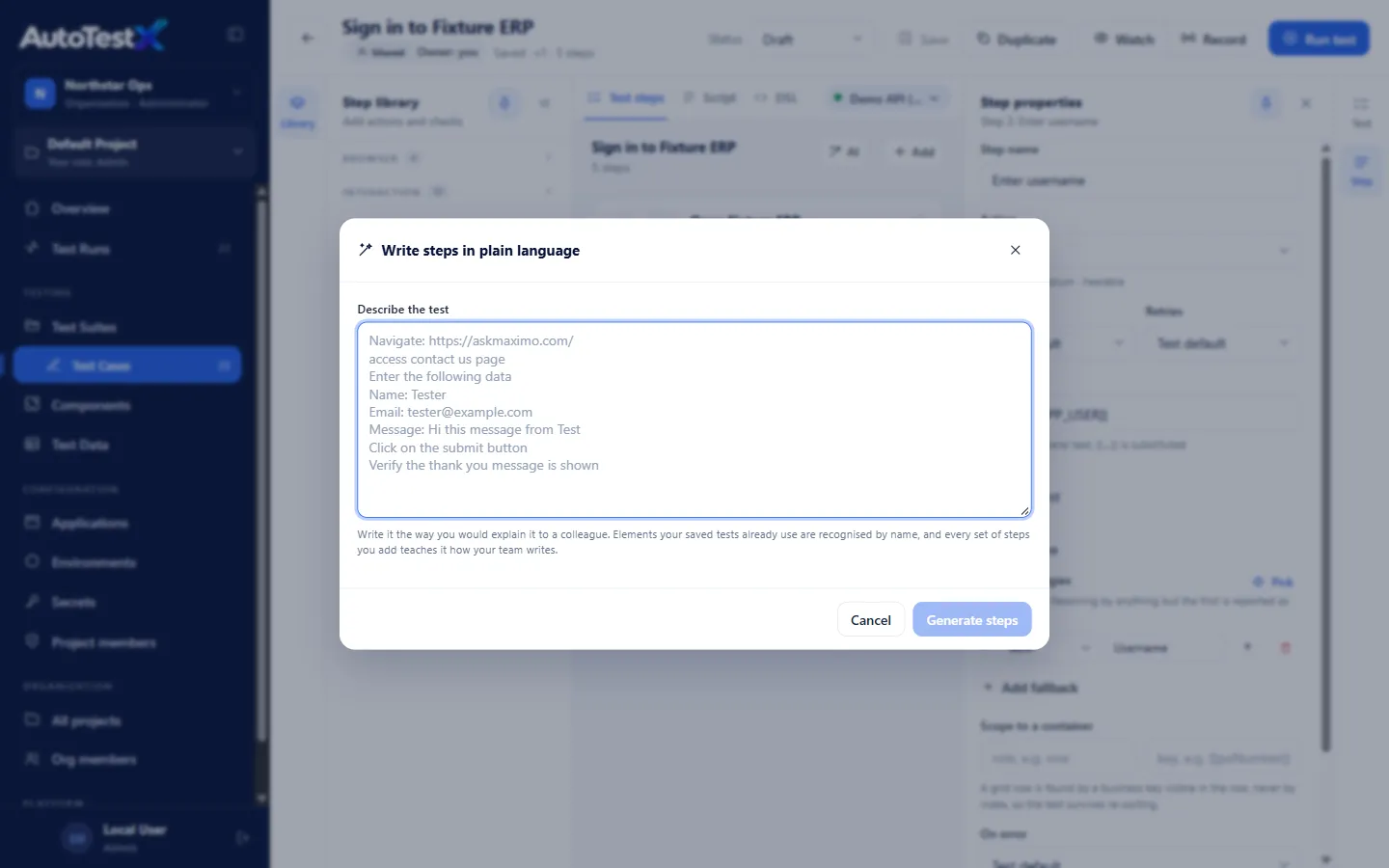
Write the test the way you would explain it to a colleague
- You give
- A written test case: open a page, enter a name, email and message, submit, check the thank-you message.
- You get
- Generate steps sends the text to the AI step writer, which drafts one automated step per instruction and reuses fields your saved tests already know.
The AI step writer is optional. An organization admin can turn AI off.
- 02 · Review
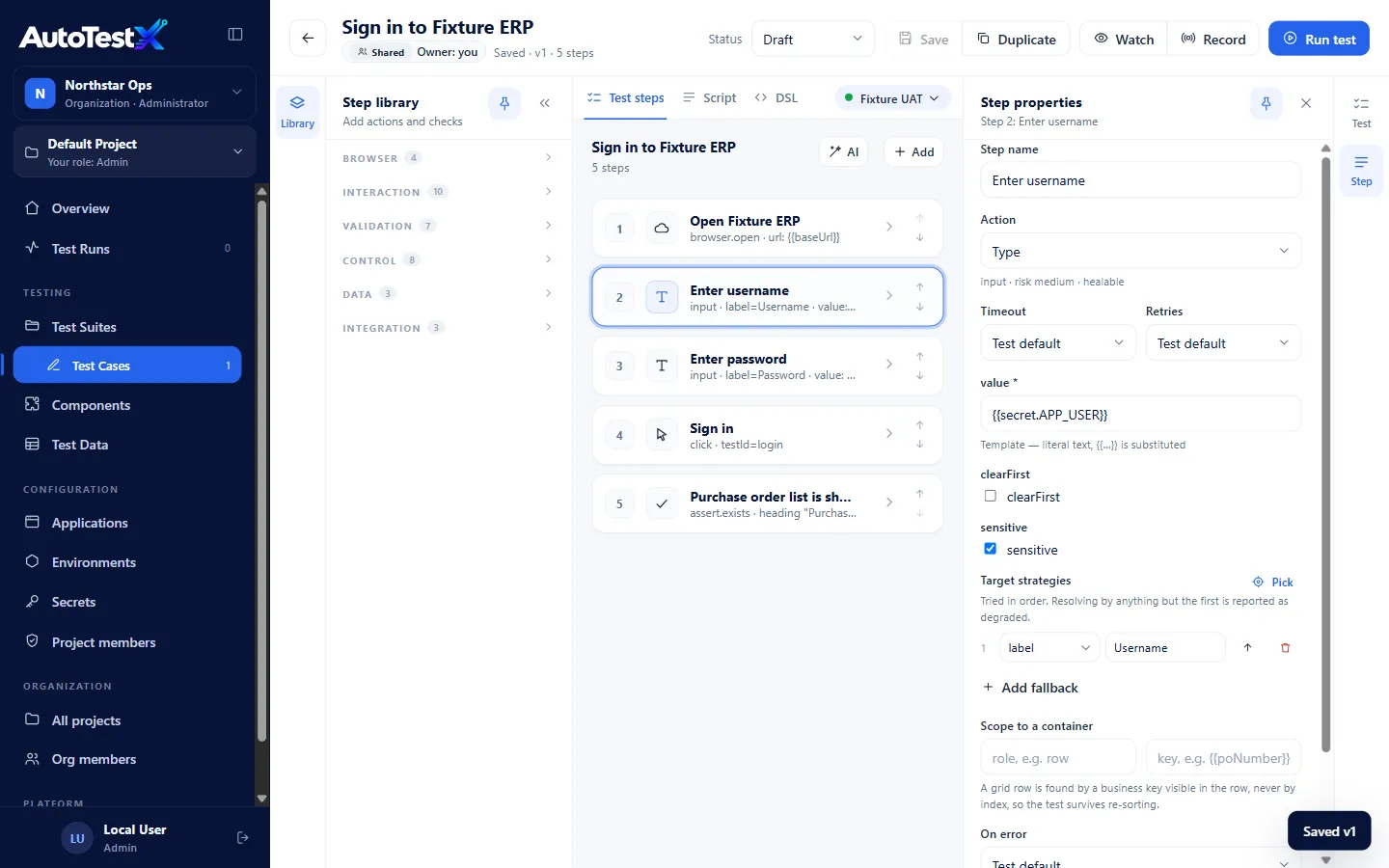
Check and edit every step before anything is saved
- You give
- Your review. Rename a step, change the field it targets, mark a value as secret, add a check, or delete what you don’t want.
- You get
- A test made of plain-language steps. Here, a five-step sign-in test: the password comes from a stored secret, not the test.
Nothing the AI drafts is saved until a person saves it.
- 03 · Run
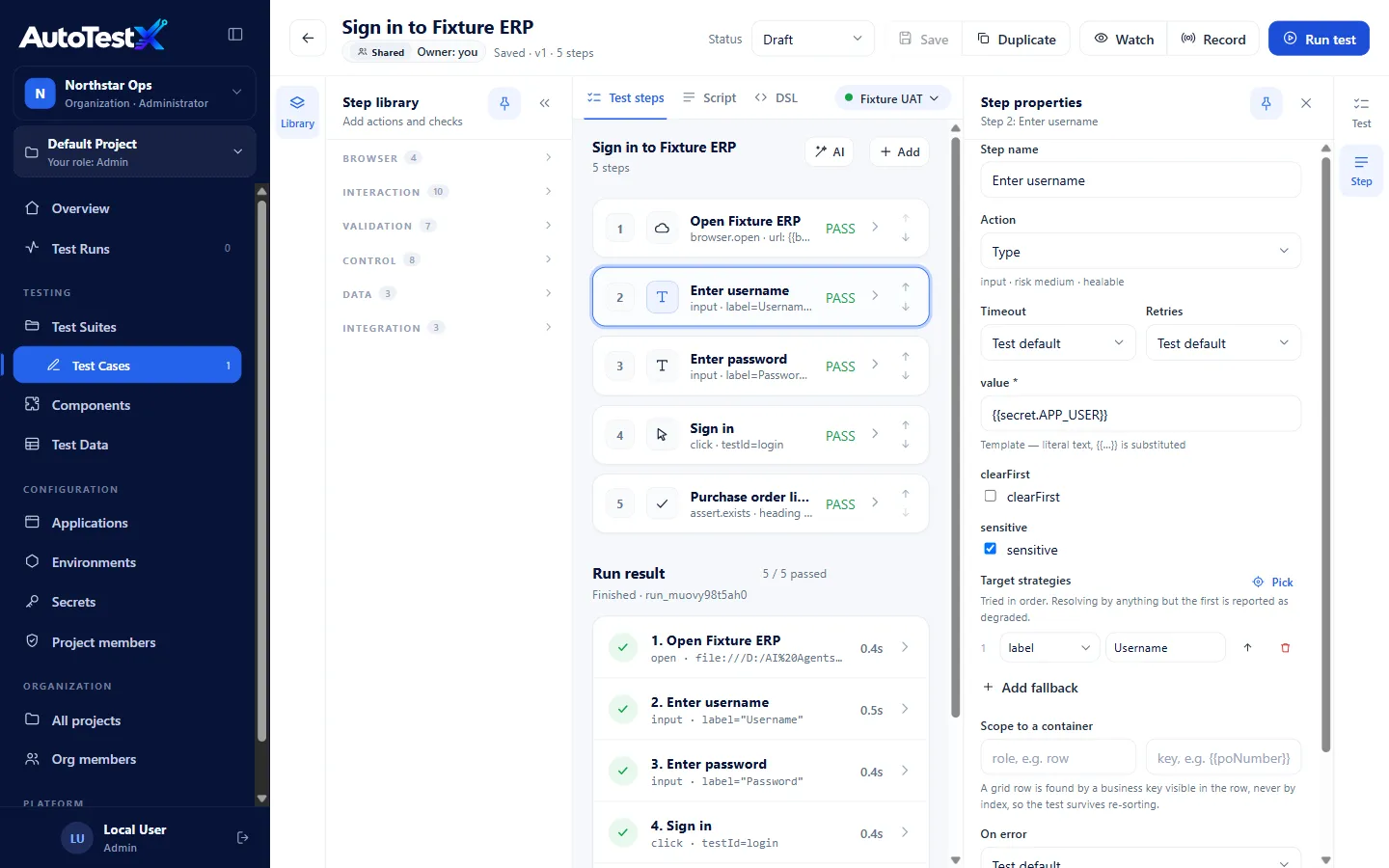
Run it, and see each step pass or fail
- You give
- One click on Run test, a suite run, a schedule, or your CI pipeline.
- You get
- A result for every step, with its time. In this run, 5 of 5 steps passed.
Runs are deterministic: each step does exactly what is written, every time.
- 04 · Investigate
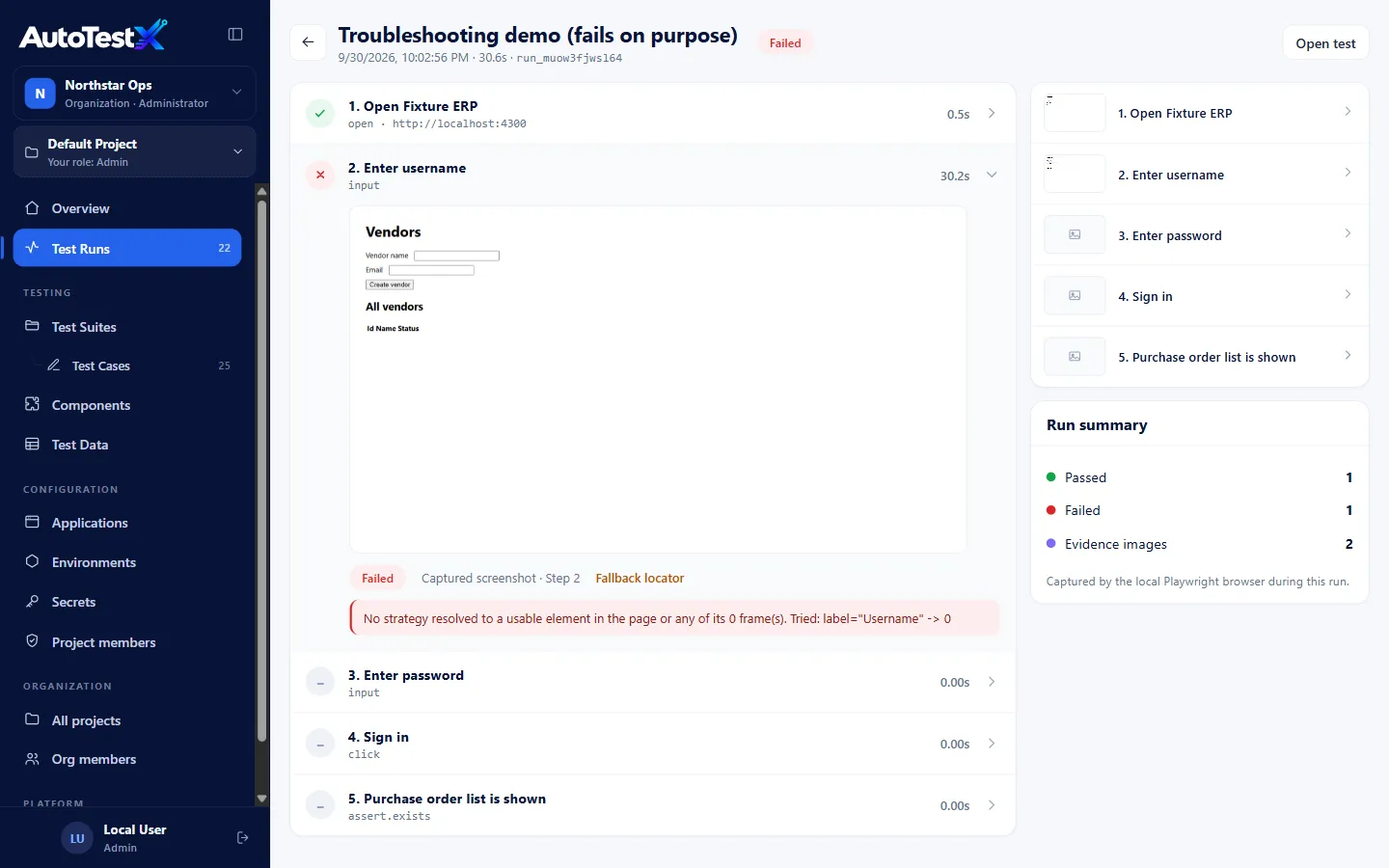
When a step fails, see the screen and the reason
- You give
- Nothing: the report is written as the test runs.
- You get
- The failed step, the screen at that moment, the error in plain text, and a flag when a step needed a fallback to find its field. The test shown fails on purpose.
Video, trace and the optional AI diagnosis are added on failure.
Screens from our demo environment, with sample data.
Take the results where they need to go.
- PDF evidence report. Run, suite run and release reports download as PDF, with the screenshots inside.
- CI pipelines. A command-line runner for GitHub, GitLab, Jenkins and Azure DevOps, with exit codes and a JSON result.
- Your AI assistant. Claude Code, Cursor or VS Code can run suites and explain failures through the MCP server.
See it on a flow like yours.
In a 30-minute session we run the demo live, answer questions, and tell you honestly whether AutoTestX fits.